


- Compare the included services, expiry and full cost before the headline gigabytes.
- Test a network where you will actually use it.
- Check both the phone’s usage records and the operator’s balance information.
- Keep receipts and complaint references when something does not add up.
Mobile data in Botswana is easier to compare when you start with the job you need it to do. A social bundle, a general internet allowance and a time-based offer can look similar in an advert while covering different activities. Compare the conditions before buying.
This comparison guide does not rank nationwide network performance. Official information was checked on 5 November 2026. Confirm the offer shown at purchase because products and prices can change.
- 1. Define your mobile data needs first
- 2. Separate general and app-specific mobile data
- 3. Compare mobile data expiry and volume
- 4. Compare complete mobile data costs
- 5. Test mobile data coverage where it matters
- 6. Buy mobile data through a verified route
- 7. Inspect mobile data usage on your phone
- 8. Use Data Saver with sensible exceptions
- 9. Check mobile data roaming before travelling
- 10. Keep evidence and escalate unresolved problems
- Frequently asked questions
- Choose one mobile data comparison today
- Sources
1. Define your mobile data needs first
Write down what must work away from Wi-Fi. Messaging, sending a CV, joining a video call and updating a laptop are different tasks. Note which activities are essential and which can wait until another connection is available.
For a student, the important question may be whether a learning portal and its downloads are included. A trader may need photographs and orders. A cheap bundle that excludes the required service is not a useful substitute for one that supports it.
2. Separate general and app-specific mobile data
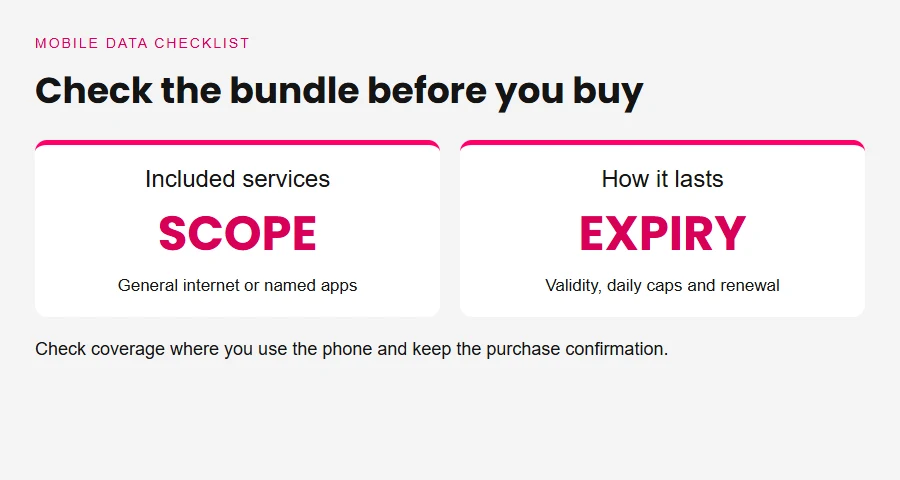
BTC’s official bundle page distinguishes general-use TurnUp offers from products limited to named social platforms. That is a concrete reason to check product scope before comparing mobile data prices.
Follow links inside the apps you normally use when considering coverage. A message may contain an external website or video, so ask the operator how that traffic is charged. Do not assume that a social-platform name means every destination opened from it is included. Keep the conditions displayed with your purchase.
3. Compare mobile data expiry and volume
A large allowance can be poor value if you cannot use it during its validity. Record the mobile data activation time, expiry, daily limits, rollover conditions and renewal setting. Ask whether unused data carries forward, rather than assuming it does.
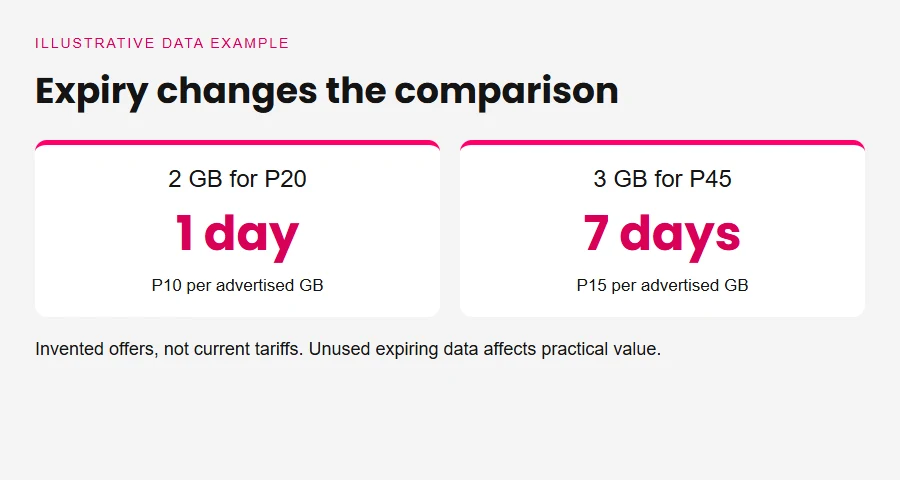
For an original hypothetical example, consider 2 GB for P20 lasting one day and 3 GB for P45 lasting seven days. The first costs P10 per advertised GB; the second costs P15. Neither is a current quotation. If you only use 500 MB on the first day, its lower headline rate does not prove a lower cost for your week.

4. Compare complete mobile data costs
Write a small comparison table for the same intended use. Include any other purchase required to make the offer useful, such as a separate general internet bundle alongside an app-specific one. Avoid counting airtime as data unless the product explicitly combines them.
| Check | Offer A | Offer B |
|---|---|---|
| Included services | Verify | Verify |
| Usable allowance | Verify | Verify |
| Expiry and daily caps | Verify | Verify |
| Renewal and extra charges | Verify | Verify |
| Total for your planned use | Calculate | Calculate |
Use current provider information to fill the table. Our household-budget guide connects this cost with your other commitments.
5. Test mobile data coverage where it matters
An advertised national footprint does not establish the experience inside your home, workplace or usual travel route. Where practical, test a small suitable allowance before committing to a larger arrangement. Check both the times and locations that matter to you.
Record the specific problem. Our older internet-provider directory can suggest questions to ask, but it is not a current performance ranking. Avoid treating somebody else’s speed-test screenshot as a guarantee for your address.


6. Buy mobile data through a verified route
Use the operator’s official app, website or published service menu. Orange’s bundle-purchase instructions describe choosing the relevant bundle category through its app and give an official menu alternative. Check that the recipient number and selected product are correct before confirming.
Our older Mascom purchasing guide provides background only. Verify current routes with Mascom directly. Never share a banking PIN or one-time password with an unsolicited caller offering a mobile data refund.
7. Inspect mobile data usage on your phone
Check which apps used data during the relevant period, including hotspot activity where supported. Match the date range to your actual bundle purchase. A monthly phone counter and a two-day bundle balance are not measuring the same window.
Samsung’s official data-usage guidance explains usage monitoring, warnings and limits on supported devices. Menu names and availability vary. Keep a screenshot before resetting a counter if you may need it to explain a problem. Treat the device reading as evidence to compare, not a substitute for the operator’s billing explanation.
8. Use Data Saver with sensible exceptions
Google’s Pixel Data Saver guidance explains that the mode limits background mobile access for most apps, while active apps can still use data. It also describes exceptions for services that need background access.
That means Data Saver is a control, not a guarantee that a bundle will last a set number of days. Check your own device instructions and test essential services after changing settings. Review video quality, automatic downloads and backups separately where their apps provide those controls. Keep important notifications working.
9. Check mobile data roaming before travelling
Do not assume a Botswana bundle works unchanged in South Africa. Ask your operator which roaming products, networks and charges apply to your number and destination. Verify the current conditions before enabling roaming.
If buying a device for travel, our older phone-buying guide gives background questions. Confirm network compatibility and SIM requirements directly for your chosen device. For cross-border purchases more generally, use the shopping-in-Botswana checklist rather than comparing the advertised price alone.
10. Keep evidence and escalate unresolved problems
Save the purchase confirmation, bundle name, time, allowance and operator reference number. Describe what failed and the remedy you are asking for. Keep the account factual.
BOCRA’s complaint guidance says to approach the provider first and escalate after exhausting its channels. Its consumer-protection policy also emphasizes keeping correspondence. Follow the current official process and protect private account information.
Frequently asked questions
Which operator has the cheapest mobile data?
There is no single answer without specifying the allowance, services, validity and location you need. Compare current official offers for the same task. A lower price per advertised gigabyte can still cost more if the data expires unused or requires another bundle for essential websites and apps.
Why can a social bundle leave a website unavailable?
An app-specific product may cover only named services rather than general internet access. Read its current terms and ask how external links, downloads and other traffic are treated. Check the remaining allowance and expiry as well. Do not assume every connection problem is caused by an excluded website.
Does Data Saver stop all data usage?
No. Google’s guidance distinguishes background restrictions from active app use and allows exceptions. Your results depend on the phone and settings. Check essential services afterwards, and keep monitoring usage. Data Saver cannot establish that an operator made a billing error or promise a fixed saving for every user.
Should I change APN settings immediately?
Use the operator’s current device-specific instructions after checking the basics. Our older Mascom APN article is historical background, not authority for today’s settings. Avoid importing a random configuration profile or deleting working settings merely because another person’s phone uses different values.
What should I prepare before making a complaint?
Keep the bundle confirmation, dates, balance information, relevant screenshots and previous support references. Explain the affected service, location and time without posting private account details publicly. Start with the provider and follow its escalation route. Consult BOCRA if the matter remains unresolved after those channels have been exhausted.
Choose one mobile data comparison today
Pick your next purchase and complete the comparison table before paying. Use your own tasks and expiry needs, then check current operator terms. For more practical setup and buying questions, explore our existing technology guides and keep dated notes of what you verified.
Sources
BTC current bundle descriptions.